
OpenTubeX keeps its library on your device by default. It reduces reliance on the YouTube website, but it does not make network requests anonymous. For details, see the privacy policy.
Choose what to remember
- Open Settings → Privacy.
- Review Remember Watch History and Remember Search History.
- Review Save Watched Progress if you want to resume videos where you left off. For viewing statistics, open Settings → General and review Enable Watch Statistics.
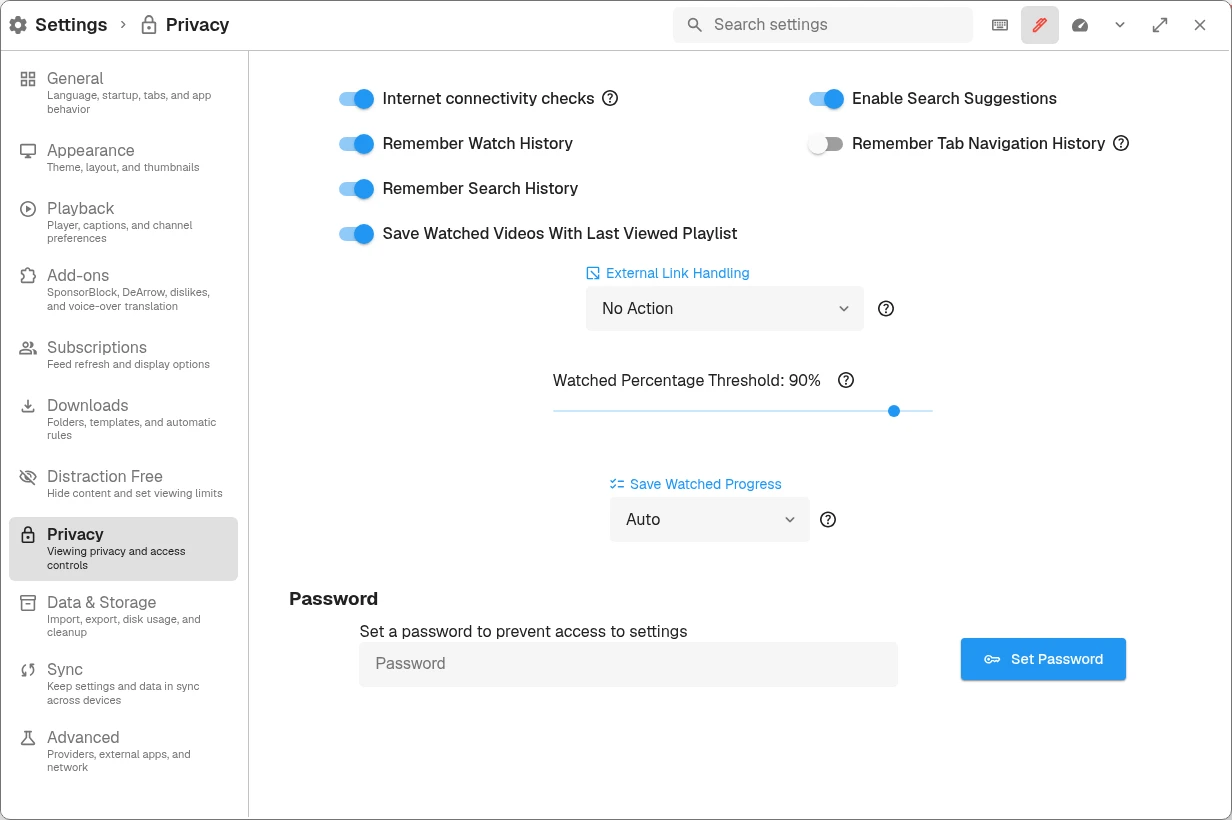
Use the history toggles to choose what to remember and Save Watched Progress to control resume behavior.
Turning off future recording is different from deleting existing entries. Use the relevant removal action when you also want to clear saved data.
Limit history retention
Open Settings → Data & Storage → Storage and find Automatic History Retention (Days) in the watch-history controls. Leave it blank to keep history indefinitely, or enter a positive whole number to retain a limited number of days.
Saving a retention period removes older entries immediately and continues applying the limit while the app is open. Export history first if you may want it later.
Clear data
Search settings for Remove Watch History or Clear Search History and Cache, select the action you need, and read its confirmation. Clearing watch history is not the same as unsubscribing or removing playlists.
For storage and cache cleanup, see Data and storage. Avoid clearing every category to troubleshoot a single playback problem.
Understand network privacy
- Local extraction and downloads can contact YouTube directly.
- Invidious sends relevant requests to the chosen instance; video proxying and fallback affect which other connections occur.
- SponsorBlock, DeArrow, and other add-ons contact their respective services when used.
- Sync sends the selected data to your configured server; review the sync mode and its encryption before relying on it.
- Internet connectivity checks sends small requests to a GrapheneOS-hosted service to check internet access. Review its toggle in Privacy settings.
A receiving service can observe your IP address and request details unless the relevant connection is routed through an intermediary. Profiles are not separate security identities. See Choose a content provider for the provider settings, and the network exposure table for service-specific details.
Share a useful bug report privately
Before attaching a screenshot or log to a public issue, remove cookies, passwords, recovery information, and personal viewing data. Usually a public video URL, exact error, app version, and reproduction steps are more useful than an entire database.
Next: Data and storage →